Managing entries
Every entry in one place. No more inbox archaeology.
See every entry and every piece as they arrive: who sent what, in which category, and whether they’ve paid. Find anything in seconds, and hand the list to anyone on your team.
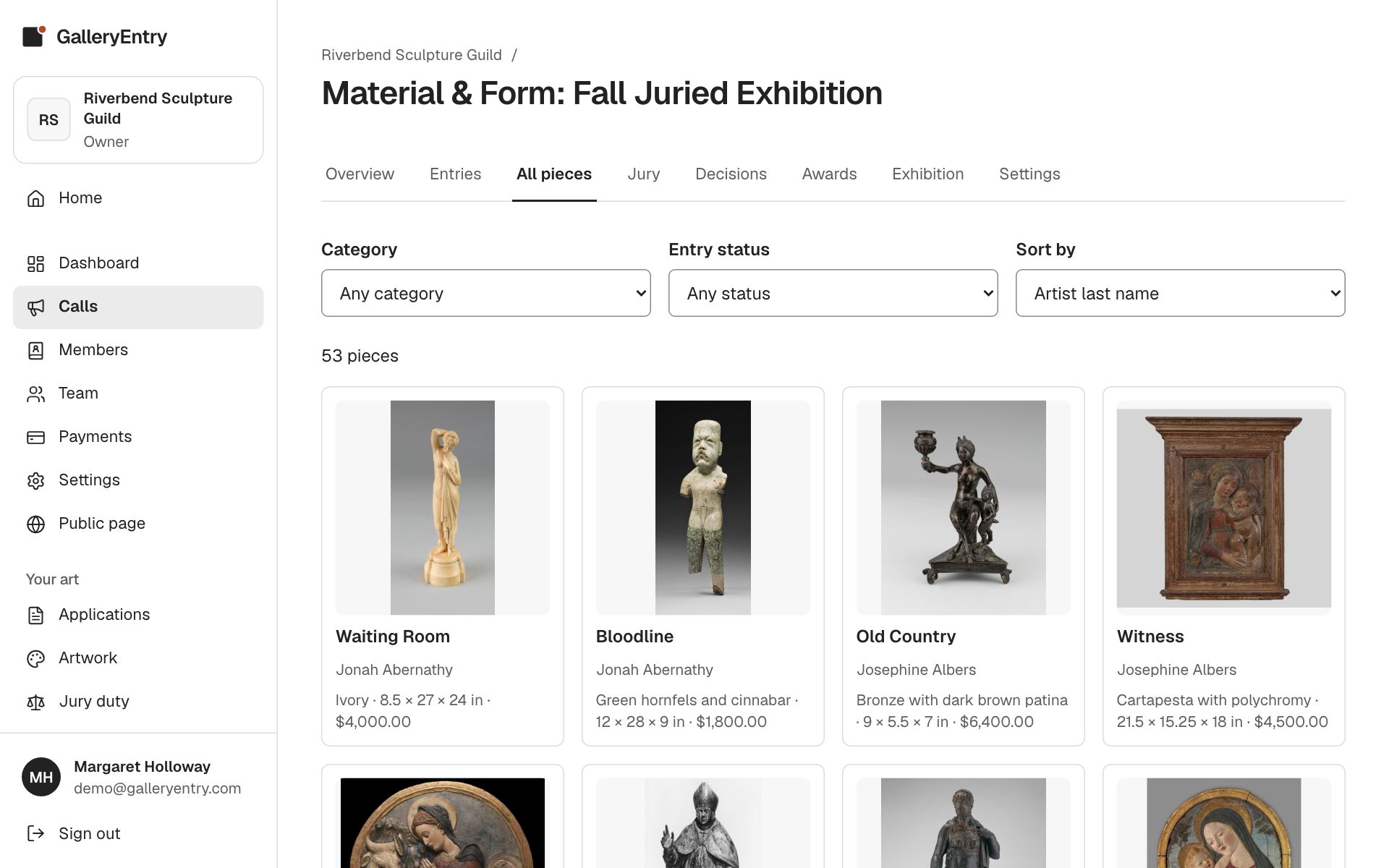
The pieces wall
See every piece in the show as a wall of pictures, filtered by category or status. It’s the fastest way to get a feel for a show.
Spreadsheets in one click
Download every entry or every piece as a spreadsheet, with payments, scores, decisions and awards included.
Notes your team shares
Leave notes on an entry for the rest of your team. Share one with the jurors if it matters; the artist never sees them.
Find any entry in seconds
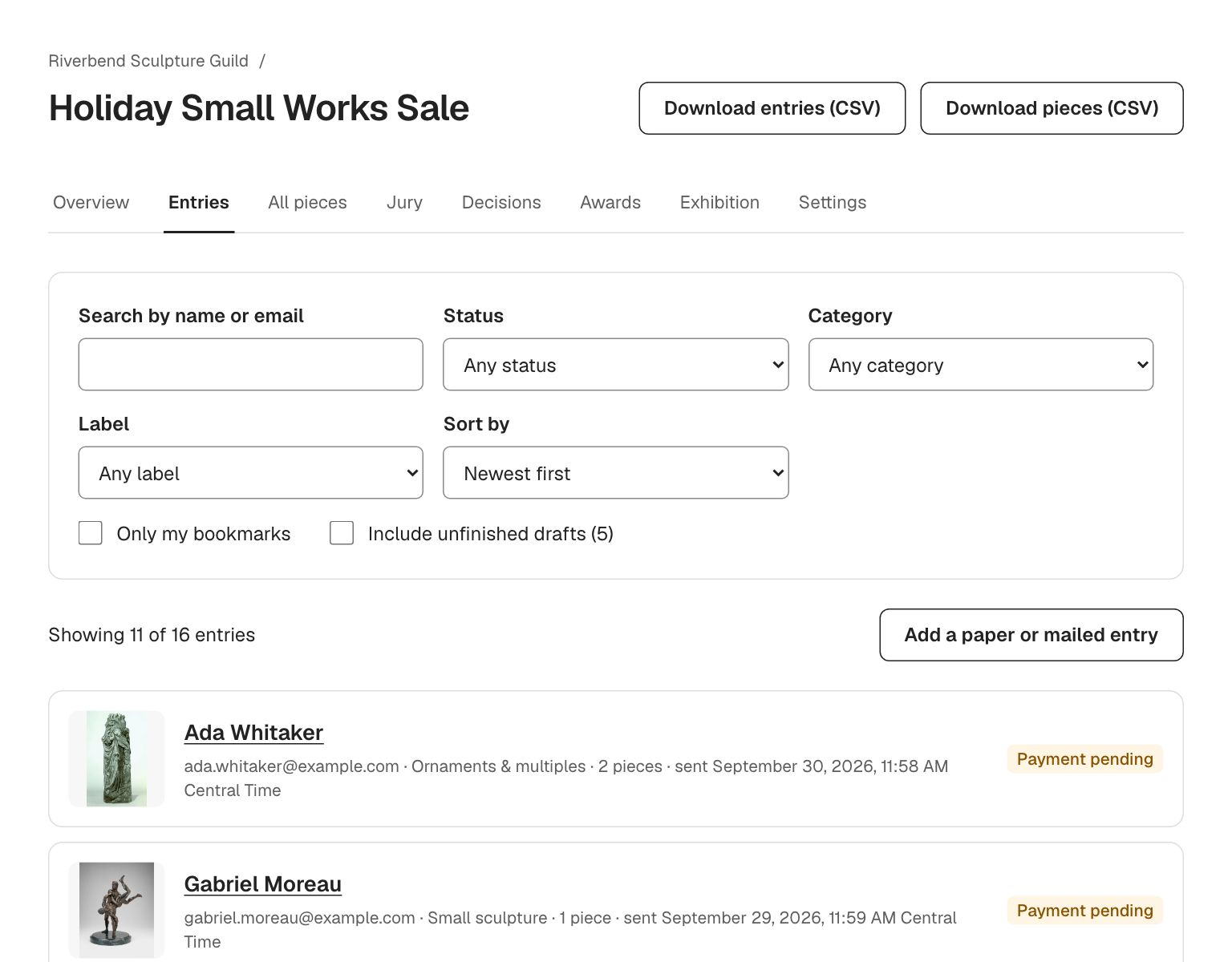
Search by name or email, filter by status, category or label, sort however you like, and keep a personal list of bookmarks. The list shows each entry’s first picture, category, number of pieces, payment status and when it was sent.
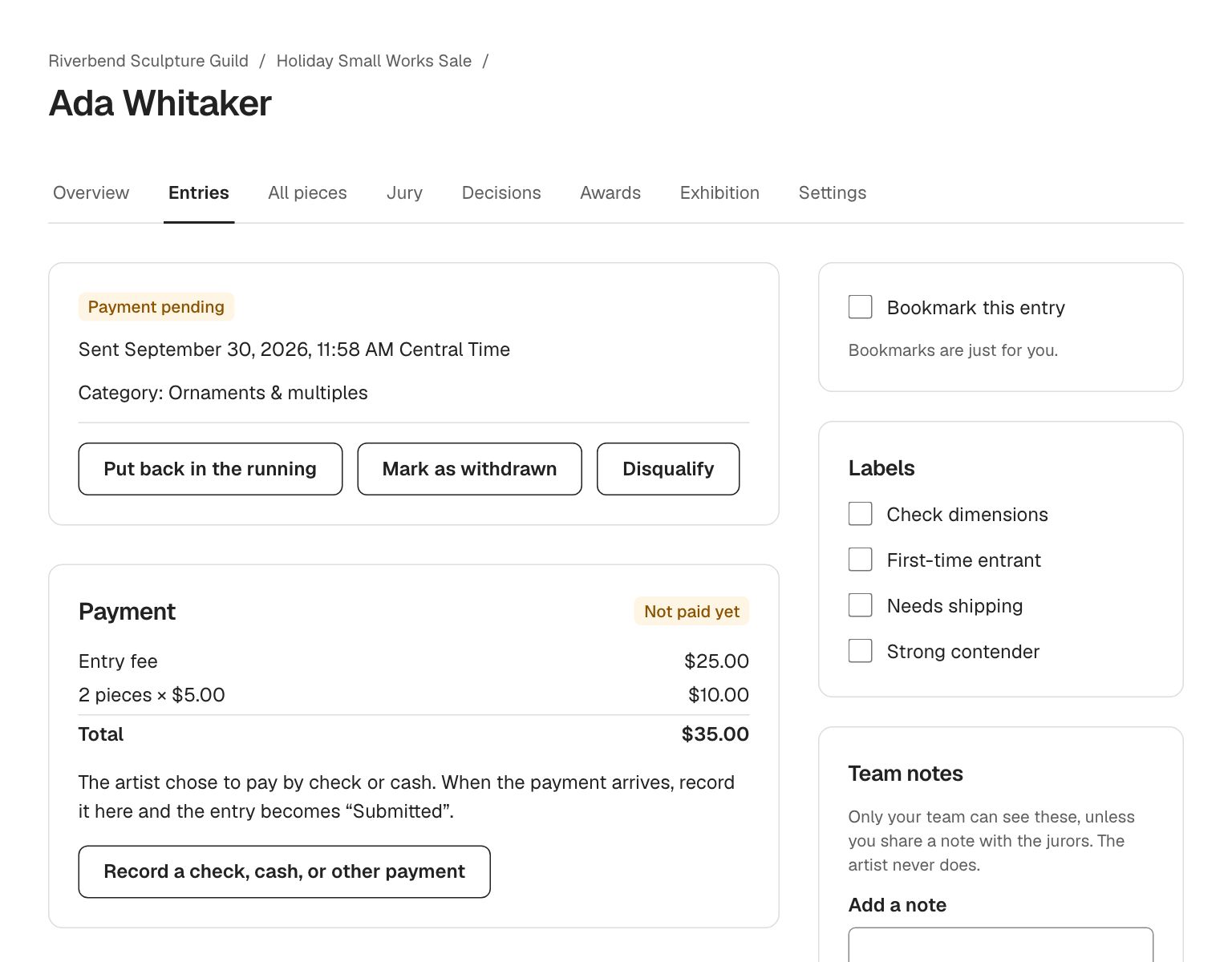
Everything about an entry on one page
Open an entry to see the artist’s details, every piece with its pictures, answers to your questions, the fee and payment, the jury’s scores, and a full history of every change. Labels like “Needs shipping” or “Strong contender” are one click.
- Labels in your own words and colors
- Team notes, optionally shown to jurors
- Mark as withdrawn or disqualified, and put back in the running
- Correct a typo for the artist, with the change recorded
- A history of every change, by whom and when
Paper and mailed entries live in the same list
Some artists will always mail in a form. Add their entry yourself, with pieces and pictures, record their check, and it goes to the jury with everyone else.
Know where every show stands
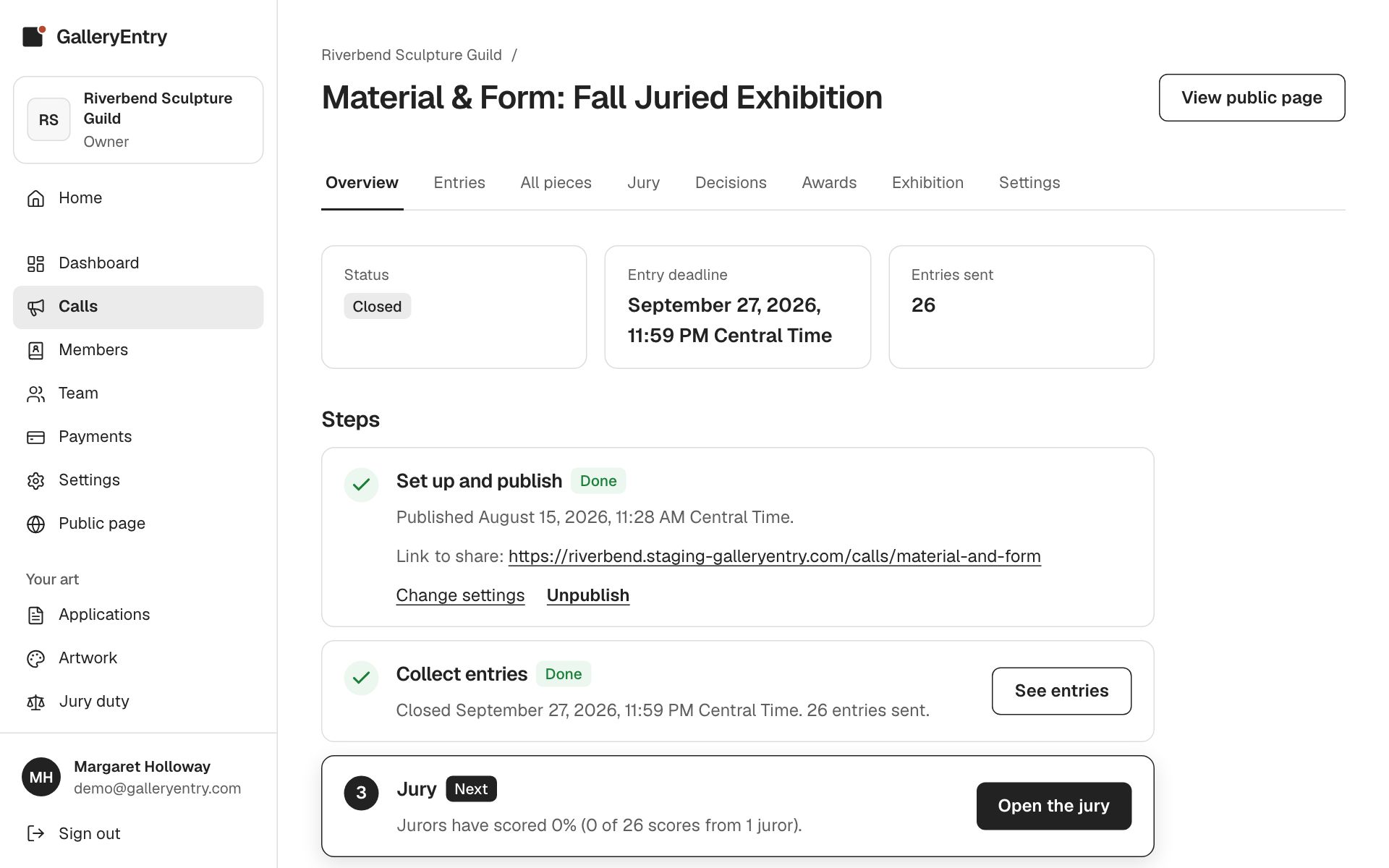
Each call opens on an overview with six steps, from setup to the exhibition page, each marked done or next with a button straight to where the work happens. Anyone on your board can pick up where someone else left off.
Keep exploring
- Calls for entryPublish a call for entry on your own web address and take applications online. Artists apply from a phone, their work saves as they go, and they never pay to use it.
- JuryingJurors score from home on a tablet or laptop. Truly blind jurying, panel or single-juror, ranked results with a live cutoff, and ties that are never split.
- Team & membersInvite your whole board at no extra cost, limit volunteers to the shows they run, and upload your member list for member pricing and members-only calls.
Questions people ask
Can we export our entries to Excel?
Yes. Download every entry or every piece as a spreadsheet (CSV) that opens in Excel, Numbers or Google Sheets. It includes payments, jury scores, decisions and awards.
Can more than one person manage entries?
Yes, with no extra charge. Invite as many admins as you need, and limit any admin to particular calls if you like.
Can an admin enter our own show?
Yes, that’s common in guilds. They can enter like any artist, but nobody can change the status, scores or payment of their own entry.
What if someone deletes something by mistake?
Deleted calls and organizations can be restored for 30 days. Contact us and we’ll bring them back.
Run your next show on GalleryEntry.
Free for your first 100 entries every year. Set up a call in an evening; artists apply from any phone.