Jurying
Blind jurying that’s actually blind.
Jurors score from home on any tablet or computer. Artist names never reach their screen, not just hidden from view, but never sent at all. You watch the scores add up and choose the cutoff with confidence.
Blind on the server
Names, emails, websites and file names are removed before anything is sent to a juror. There is nothing to peek at.
No conflicts of interest
A juror who also entered the show never sees or scores their own entry. You are warned when you invite them.
Ties are never split
Entries with the same score get the same decision, so nobody is cut by a coin toss. You see every tie flagged.
Choose how your jury works
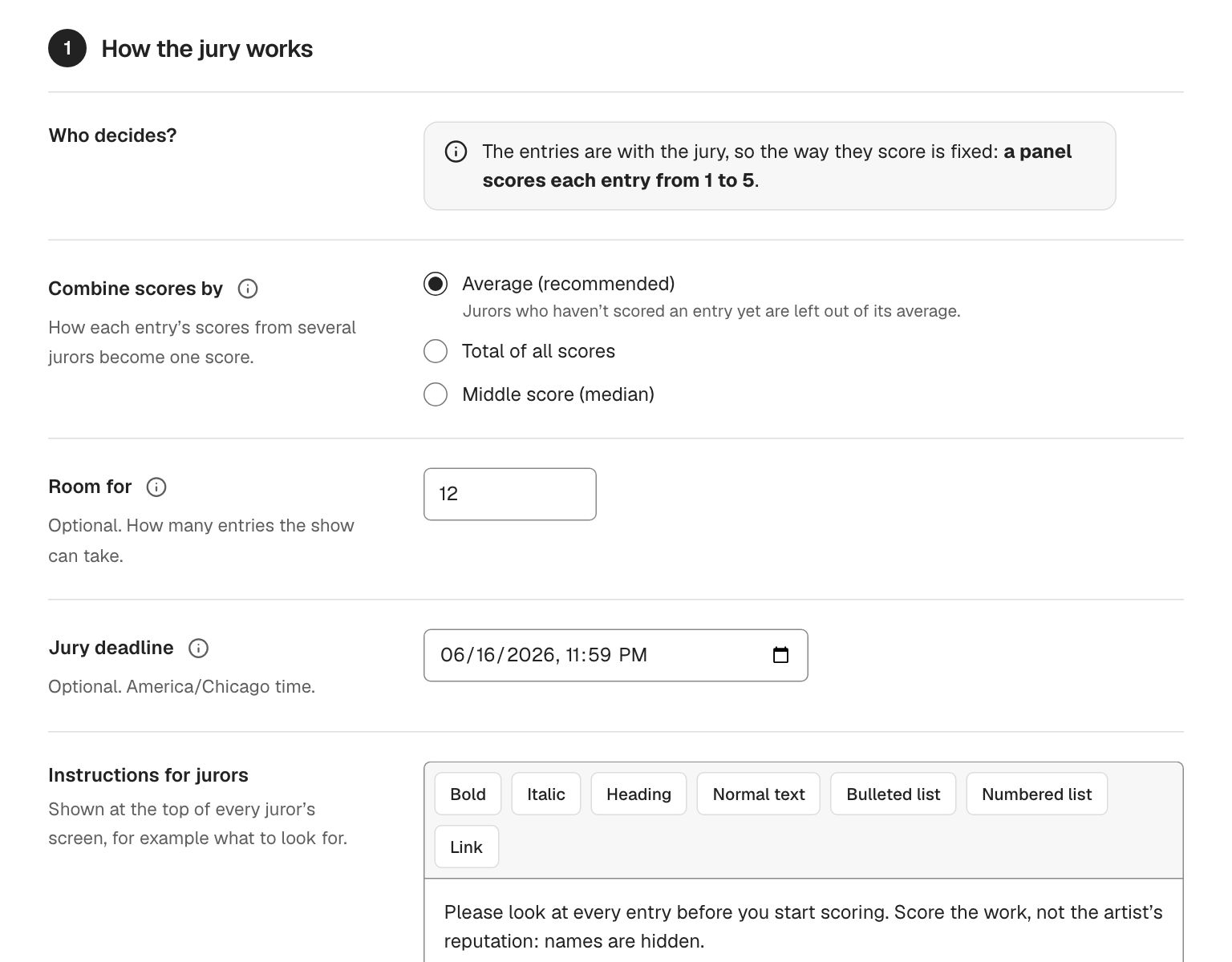
One juror who picks the show, or a panel that scores every entry. Pick the scale that fits: 1 to 5, 1 to 10, or yes, no and maybe. For a panel, choose how scores combine: average, total or middle score.
- Panel scoring or a single juror
- Scales of 1–5, 1–10, or yes / no / maybe
- Average, total or median
- A jury deadline, with reminder emails 2 days before to jurors with entries left
- Your instructions shown to jurors at the top of their screen
You decide exactly what jurors see
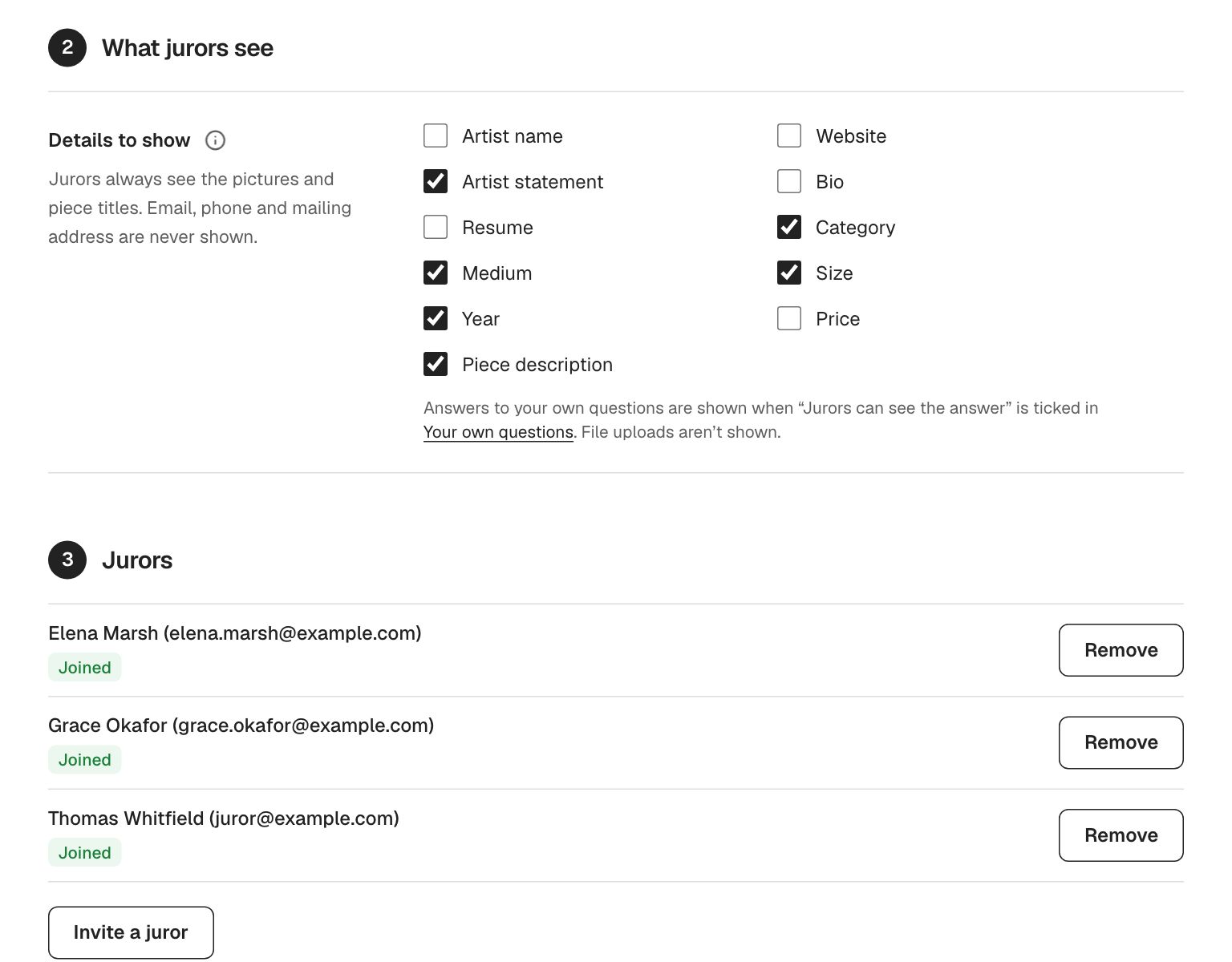
Tick the details jurors should see: artist statement, category, medium, size, year, description, even price. Email, phone and mailing address are never shown. Jurors who download a picture get a plain file name, never the artist’s.
Results you can act on
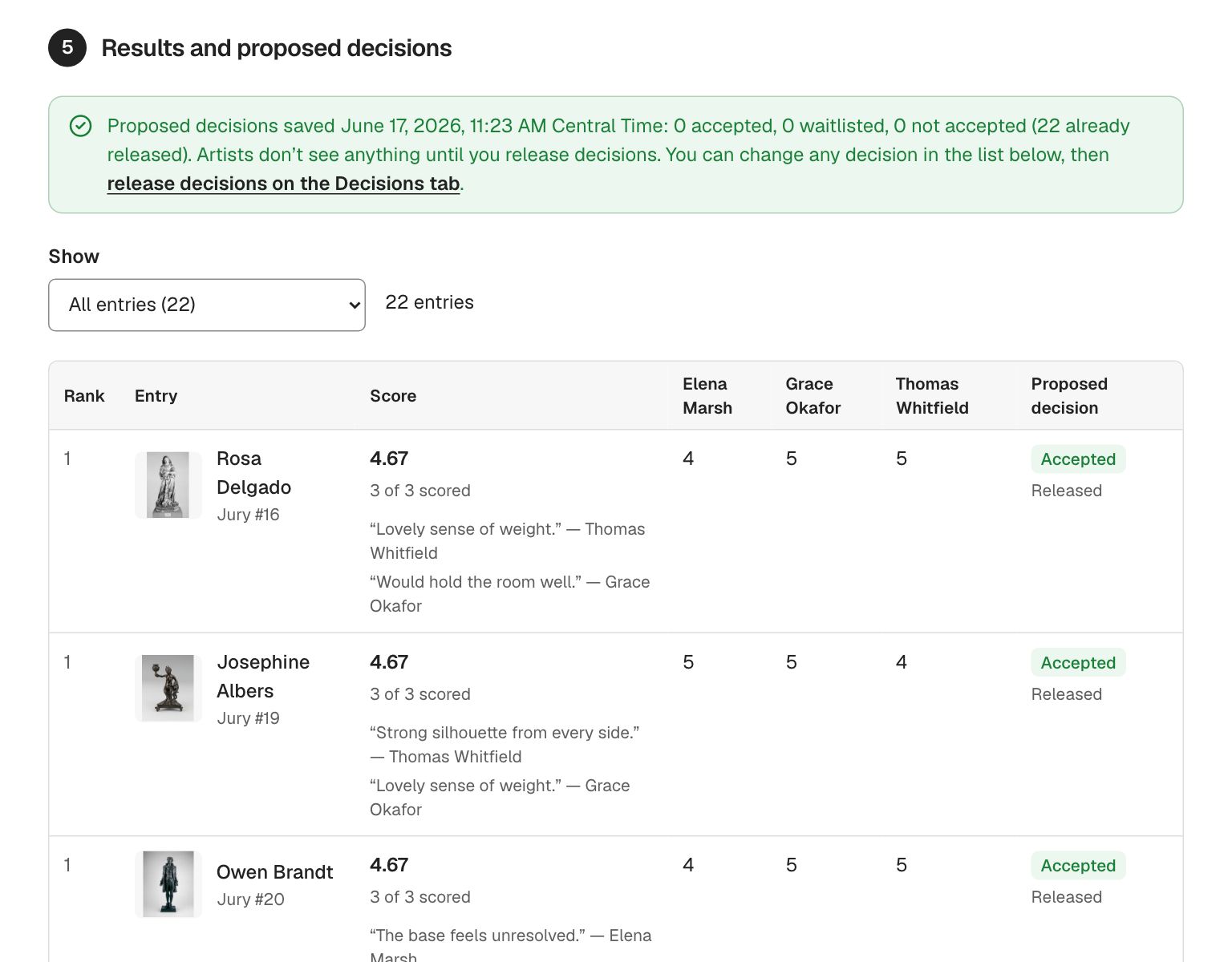
Every entry ranked by score, with each juror’s score and comments side by side. Unanimous and split entries are marked. Set a cutoff, “top 12” or “score of 4 and up”, plus how many to waitlist, and see the proposed decisions update live before you save anything.
- Live cutoff preview with a warning when a tie sits on the line
- Change any proposed decision by hand
- Late entries can be sent to the jury later; jurors are emailed once
- Artists see nothing until you release decisions
Built for jurors who aren’t “computer people”
Jurors get one email with one link. They can sign up with that link in a minute, then see one big picture at a time with large score buttons, a comment box that saves itself, Previous and Next, and a count of how many are left. Keyboard shortcuts are there for jurors who want them.
Keep exploring
- Decisions & awardsEmail every artist their decision in one click, in your own words. Record awards with cash prizes and sponsors, and announce them when you are ready.
- Managing entriesEvery entry, piece, payment and note in one list. Search, filter, label, bookmark, add paper entries and download spreadsheets in one click.
- Calls for entryPublish a call for entry on your own web address and take applications online. Artists apply from a phone, their work saves as they go, and they never pay to use it.
Questions people ask
Is the jury really blind?
Yes. Blind jurying in GalleryEntry is enforced on our servers: the details you hide are never sent to the juror’s browser at all, so they can’t be revealed by a curious click. Downloaded pictures get generic file names too.
Do jurors need an account?
They need a free GalleryEntry account, which they create from the invitation email in about a minute. If they already have one, they just sign in.
Can our juror also be a member who entered the show?
Yes. GalleryEntry flags it when you invite them, and they never see or score their own entry.
What if two entries tie at the cutoff?
GalleryEntry never splits a tie. All tied entries get the same proposed decision, the tie is flagged for you, and you can adjust any decision by hand before releasing.
Can jurors score on an iPad?
Yes. The juror screen was designed for tablets as much as laptops: one large picture, big buttons and comments that save themselves.
Run your next show on GalleryEntry.
Free for your first 100 entries every year. Set up a call in an evening; artists apply from any phone.